
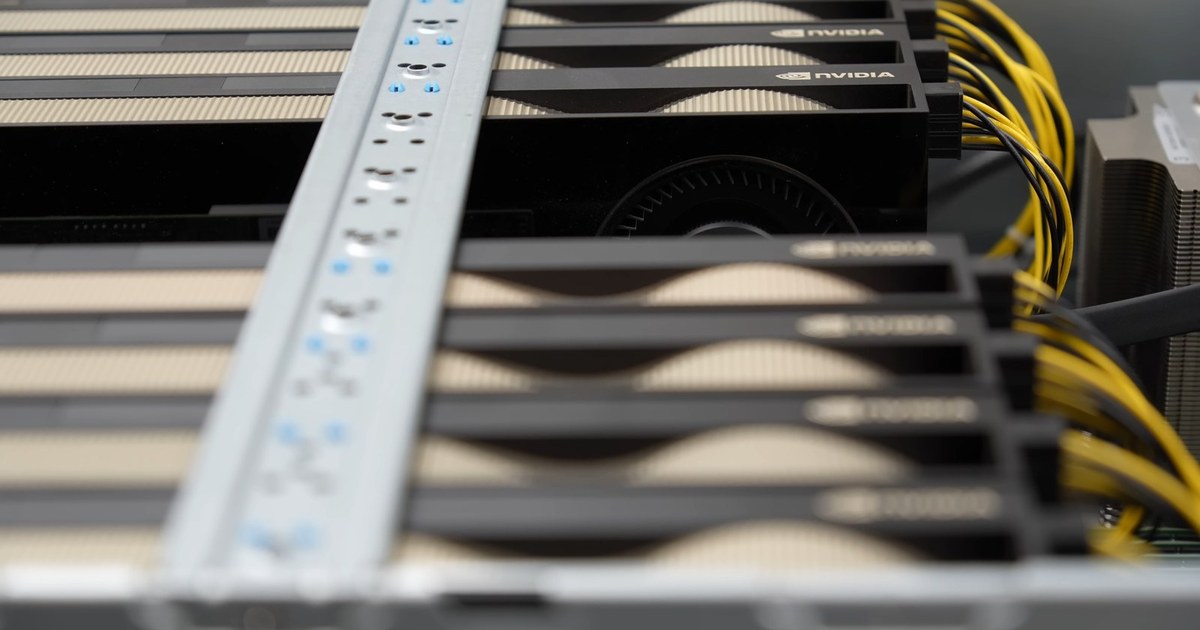
Both NVIDIA RTX PRO 6000 Blackwell Server Edition and Workstation Edition offer 96 GB of GDDR7 memory with ECC, but identical memory capacity does not make the cards interchangeable in every chassis. Start with the system vendor's compatibility list for the exact GPU SKU, cooling variant, power connectors and intended number of cards. For a workstation, check physical clearance, airflow and the power connection. For shared deployments, validate the drivers, partitioning mode and licenses for the intended software stack.
This guide compares two editions within the same product family. A comparison against an H200 or an HGX platform requires a broader system-level evaluation, including interconnect, cooling and deployment density.
Specifications are a starting point
| Item | Server Edition | Workstation Edition |
|---|---|---|
| GPU memory | 96 GB GDDR7 with ECC | 96 GB GDDR7 with ECC |
| Listed memory bandwidth | 1,597 GB/s on the product page | 1,792 GB/s in the published data sheet |
| Board power | Up to 600 W, configurable | 600 W |
| Cooling | Air or liquid, depending on variant | Double-flow-through in the data sheet |
| First compatibility check | Exact SKU, server chassis and cooling | Chassis clearance, airflow and connector |
These figures come from different NVIDIA documents; confirm the exact SKU and system configuration before ordering. Bandwidth is a peak specification, not a guarantee of LLM throughput. See NVIDIA's Server Edition product page and Workstation Edition data sheet.
Capacity does not settle the inference question
GPU memory must hold more than model weights. KV cache, runtime allocations, temporary buffers and operational headroom also consume capacity. Two 96 GB cards have 192 GB of aggregate nominal memory, but a model distributed across them still requires an appropriate parallelization strategy and inter-GPU communication. Aggregate capacity is not the same as one device's local memory.
For an illustrative budget only, 70 GB of weights plus 16 GB of cache and working buffers leaves 10 GB against a nominal 96 GB. This does not prove that a specific model fits: unit conventions, runtime, quantization and implementation affect the result. Measure the selected model with representative context lengths and concurrency before making a purchasing decision.
Cooling and physical fit
A passively cooled server GPU relies on the airflow designed into its host chassis. An available PCIe slot alone is not evidence of sufficient cooling. NVIDIA also lists a liquid-cooled Server Edition variant, which requires a compatible system and cooling loop. Ask for the exact card SKU, thermal option and qualified system configuration rather than a generic RTX PRO 6000 description.
The Workstation Edition data sheet specifies double-flow-through cooling and an extended-height, dual-slot form factor. Verify height, length, slot spacing and clearance around adjacent components. Electrical compatibility does not establish that the server can maintain the temperatures required for support and sustained operation.
Compare three documents: the chassis vendor's GPU support matrix, the card's specification and the selected cooling configuration. Have the supplier confirm the supported number of GPUs in the exact system, including CPUs and other components.
Power: calculate the system, not just the GPUs
Four GPUs at an assumed 600 W board limit represent 2,400 W for the cards alone. If CPUs, memory, storage and fans are assumed to draw another 600 W, the component-level illustration totals 3,000 W. The additional 600 W is an example, not a server specification. Power-supply losses, redundancy requirements and input circuits must be evaluated separately.
Adding power-supply nameplate ratings does not prove that a server will sustain full load after one PSU fails. Check the manufacturer's validated configuration, supported input voltage, cabling, N+1 behavior and rack power allocation. Estimate operating cost from a measured utilization profile and local energy rates rather than treating board limits as average consumption.
Shared users and software support
Decide whether workloads need hardware partitioning, virtual GPUs or simply a scheduler. NVIDIA documents MIG-backed vGPU for the Server Edition, but supported profiles, drivers, hypervisors and licenses depend on the selected stack. The Workstation Edition data sheet also lists MIG configurations; that does not imply the same deployment modes are supported everywhere.
Benchmark a representative workload across realistic concurrency levels. Record time to first token, output throughput, tail latency, errors, temperatures and memory use. Repeat the test when changing the model, precision, context or serving software. Published peak performance numbers do not replace this acceptance test.
NVIDIA's vGPU sizing table lists no NVLink for the Server Edition in that comparison. Design a multi-GPU node around its actual PCIe topology and network; do not assume the same interconnect as an HGX system.
Compare complete proposals
Compare full system proposals against the same workload and target concurrency, rather than comparing individual GPU prices alone. Ask suppliers to specify the chassis, power supplies, cooling, support term and validated software versions. Confirm whether acceptance testing is included and who maintains the driver stack. For liquid-cooled configurations, account for facility requirements and cooling-loop maintenance separately.
Record the assumptions before seeking quotations: a change in context length or concurrent requests can alter memory headroom and the relative merits of each configuration. Request repeatable measurements with the same model weights and settings, then compare response times and stability under sustained load.
Procurement checklist
- Record the model, weight format, context length and expected concurrent users.
- Specify the exact GPU SKU, cooling variant, power limit and approved connectors.
- Obtain vendor confirmation for the chassis, GPU count and CPU configuration.
- Check OS, driver, CUDA and application versions; include hypervisor and licensing where relevant.
- Agree an acceptance test covering memory, temperatures, power, latency and throughput.
- Confirm warranty, service, final configuration and regional commercial terms.
For a rack server with several GPUs, begin with a vendor-supported server configuration. For a local workstation, begin with chassis fit and application support. Explore the RTX PRO 6000 catalog or tell us about the workload to discuss a suitable system. Availability, configuration, price and delivery terms require confirmation.