
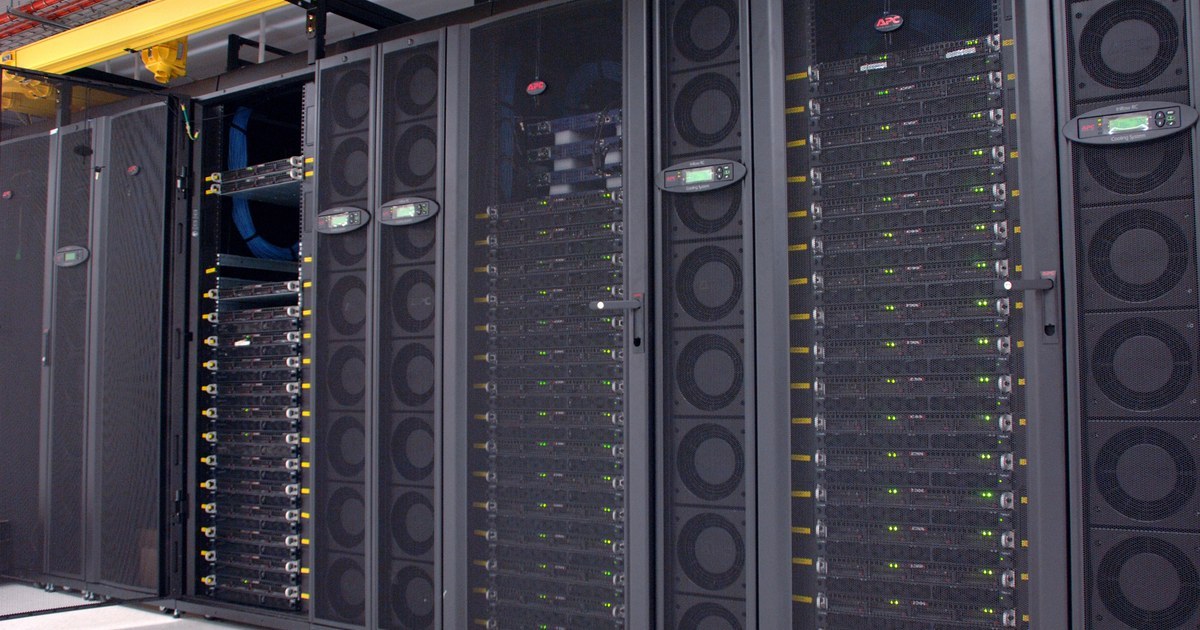
On 16 November 2026 MSI announced its SC26 demonstration of the 6U CG681-S6093 NVIDIA MGX platform. MSI says it supports up to eight liquid-cooled NVIDIA RTX PRO 6000 Blackwell Server Edition GPUs, two AMD EPYC 9006 processors and up to 32 DDR5 DIMM slots. The company also showed a 48U rack configuration containing four of the servers and NVIDIA networking.
These are specifications of a demonstrated platform, not independent performance measurements or a confirmed offer in a particular market. Obtain the exact configuration, facility requirements, price and delivery terms for a real quotation. Capacity planning also depends on GPU memory placement, network topology, cooling and the workload.
What MSI announced
According to MSI's announcement, the CG681-S6093 is a 6U liquid-cooled MGX system with up to eight RTX PRO 6000 Blackwell Server Edition GPUs, dual AMD EPYC 9006 CPUs and up to 32 DDR5 slots. MSI also lists eight ConnectX-8 SuperNICs with 400 Gb/s Ethernet connectivity per port and PCIe 6.0 expansion.
“Up to eight” is an announced maximum. An actual system can contain fewer devices or a different memory and storage configuration. MSI's displayed 48U rack contains four of these servers plus Spectrum-4 SN5600 data switches and SN2201 out-of-band networking switches. A trade-show configuration is not automatically the bill of materials for every commercial rack.
GPU memory in a node and rack
NVIDIA lists 96 GB of GDDR7 per RTX PRO 6000 Blackwell Server Edition. Eight cards therefore represent 768 GB of nominal aggregate GPU memory per server; four fully populated servers total 3,072 GB. This is a sum of device capacities, not one local memory pool or a guarantee of usable application memory.
A model spanning devices requires a compatible engine, supported distribution method and sufficient interconnect capacity. Independent service replicas are each constrained by the memory available on their assigned GPU. Caches, temporary buffers and runtime overhead reduce usable headroom.
For illustration, suppose model weights take 60 GB and working buffers plus cache require another 20 GB. The arithmetic is 80 GB per replica before further overhead. Measure the actual peak for the chosen context and concurrency; these are hypothetical inputs, not an MSI benchmark or a promise that a particular model fits.
Interpreting the networking
MSI lists eight ConnectX-8 adapters with 400 Gb/s Ethernet per port. That does not automatically mean an application receives eight independent streams at that rate or that every GPU can access the full aggregate simultaneously. Active port count, optics, cables, switches, PCIe topology and task placement matter.
Dividing 400 Gb/s by eight gives a 50 GB/s theoretical bit-rate conversion before protocol overhead or other bottlenecks. Multiplying by eight ports still does not produce a measured useful server throughput. Request a topology diagram and an acceptance measurement using the actual network configuration.
For distributed training or inference, confirm adapter placement relative to processes and GPUs and the switches used between nodes. For independent services, links to clients and storage may be more important. Measure useful throughput and loss under an agreed workload.
Cooling and site readiness
The liquid-cooled server and GPU variant rely on a compatible heat-removal system. MSI's announcement does not provide a complete facility-fluid specification, permitted temperature and pressure, or the exact input power for every configuration. Do not infer these from rack height or borrow them from another MGX product.
Request a heat balance showing liquid and air loads, connector locations and responsibilities for the CDU, fluid quality and service. Agree leak detection, pump-failure response and shutdown procedures with the facility operator. Hardware work should follow the documentation for the exact system.
NVIDIA's Server Edition page lists up to 600 W configurable power per GPU. Eight cards at that upper value imply 4.8 kW for GPUs alone. That is arithmetic, not a CG681-S6093 system power rating: CPUs, memory, networking, fans and power-supply losses are additional, and the vendor must confirm the actual configuration's limits.
Compare with another GPU server
Fix the model and software versions, precision, dataset or request lengths, and target latency or completion time. For inference, record time to first token, generation rate and latency at expected concurrency. For training, include batch size, step time and checkpoint duration.
Compare the same useful work, not only peak GPU specifications. If GPU counts differ, report results per server and per GPU alongside whole-system power under load. Check output correctness and driver versions. A device count by itself is not a reliable throughput forecast.
When comparing one server with multiple nodes, include network ports, licenses, redundancy and service. Ask about warranty and supported replacements. Exhibition coverage does not establish price or lead time in a selected market.
Preparing a request
Provide the workload, GPU count, CPU memory and storage needs, network topology and cooling constraints. Request the exact bill of materials, electrical and liquid-cooling specifications, and a representative acceptance test. Explore the AI Server Lab catalog or share requirements via the contact form. Availability and commercial terms require confirmation.