
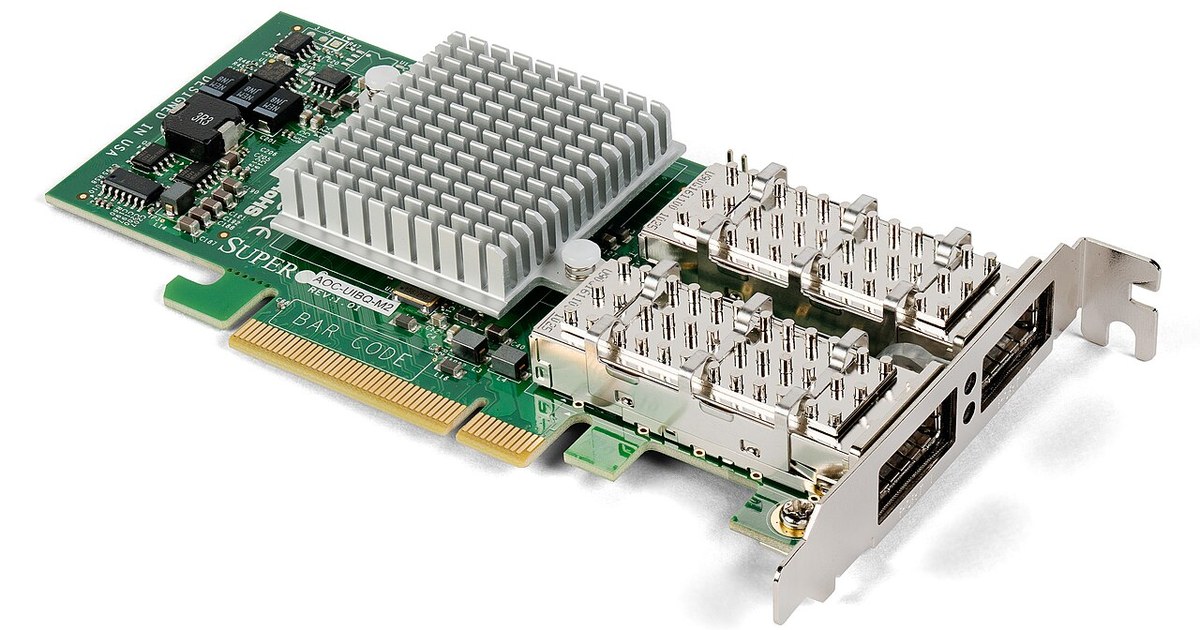
The practical answer: Lenovo's November 10, 2026 product guide describes a ThinkSystem NVIDIA ConnectX-9 9180 adapter with a PCIe Gen6 x16 host interface and OSFP connectivity for high-speed networking. It discusses OCP and PCIe variants and lists the PCIe version as planned for January 2027. The guide is a technical reference, not proof that every SKU is shipping. Confirm availability, pricing and destination-specific delivery terms for the precise configuration.
An “800G” headline alone does not establish that a GPU cluster will achieve 800 Gbit/s of useful application throughput. The server, adapter, optics, cable, switch, port mode, cooling and software all need to match. This guide separates the published specification from planning assumptions and proposes an acceptance checklist.
What Lenovo published
Product guide LP2561, published November 10, 2026, describes the adapter's networking modes, host interface, transceivers, cable options and compatibility considerations. It is a vendor pre-sales document. Its existence does not prove local stock, a confirmed delivery date or compatibility with every server bearing a PCIe slot.
The product title references 800Gb XDR InfiniBand and 2×400GbE through OSFP. The technical section also lists Ethernet modes up to 800 Gbit/s. The available combination depends on the exact adapter variant, firmware, optics and supported server configuration. A compatible-looking OSFP cable should not be assumed to work in every listed mode, and the guide should not be read as a promise that all modes operate simultaneously.
Form factor and cooling are separate decisions. Lenovo distinguishes OCP and PCIe implementations, with the PCIe variant planned for January 2027. Its part-number table includes a direct-water-cooled OCP configuration available as a configure-to-order item. Do not translate that into a claim that a standalone air-cooled PCIe card is already available. Ask for a region-specific quote and the exact part number.
Specification and procurement implications
| Area | What the guide describes | What the project must establish |
|---|---|---|
| Host interface | PCIe Gen6 x16, with Gen5 compatibility stated | Actual slot generation, lane count and platform restrictions |
| Network connector | One OSFP112 cage | Supported transceiver, cable and port mode |
| Nominal link rate | Up to 800 Gbit/s in supported modes | Negotiated rate and measured workload throughput |
| Fabric | Listed InfiniBand and Ethernet modes | Compatible mode at both ends of the link |
| Physical variant | OCP and PCIe are discussed | Exact SKU, availability, power and cooling |
| RDMA | RDMA/RoCEv2 acceleration is described | Verified support across drivers, fabric and application |
Compatibility with Gen5 does not make a Gen5 slot operate at Gen6 speed. A nominal port rate also does not remove limitations in the host path, memory, GPU, fabric or software stack. Those elements need their own acceptance criteria.
Convert the headline rate carefully
For a simple nominal conversion, divide 800 billion bits per second by eight: the result is 100 billion bytes per second, or approximately 100 decimal GB/s. This is a line-rate arithmetic reference for one direction, before coding, protocol overhead, control traffic and implementation limits. It is not a measured file-transfer rate or a promised training throughput.
Two 400 Gbit/s connections also sum to 800 Gbit/s nominally, but that arithmetic does not mean one session or one remote port automatically receives the aggregate. Traffic distribution depends on the supported configuration of the adapter, cable and switch. Validate the intended topology and benchmark the actual use case.
Keep units consistent in your report. Decimal GB/s differs from binary GiB/s, and a network line rate in Gbit/s is not directly interchangeable with application-reported payload in GiB/s. Record direction, stream count, message size, duration and where the measurement was taken.
Host path and GPU communication
A fast network adapter is only one part of the data path. Identify which CPU socket owns the slot, how many PCIe lanes are available and whether the server supports the requested configuration. In a two-socket system, the location of the adapter relative to GPU and host memory may affect a given workload's latency or bandwidth.
For distributed training or KV-cache transfer, check the supported path and RDMA implementation in the complete platform. The word “RDMA” in an adapter specification alone does not guarantee that GPUDirect RDMA works in the chosen server. Confirm the compatibility matrix for hardware, driver, kernel, libraries and the application stack.
The bottleneck may instead be CPU utilisation, a switch uplink, port negotiation, storage or an unsuitable software configuration. Test the link and the representative application separately, and preserve both results. Coordinate any changes to port mode or fabric settings with the cluster operator: changing a live network can interrupt unrelated traffic.
Optics and cable selection
Lenovo lists transceivers, optical cables and direct-attach copper options with specific part numbers. Use the current table as a starting point, then verify the permitted parts for both the adapter and switch. A matching connector label does not guarantee compatibility across protocol, fibre type, reach, breakout mode or firmware version.
For each connection, record the source and destination ports, protocol, rate, transceivers at both ends, cable type and length, and a post-installation verification method. If the design uses breakout, obtain confirmation that the adapter, cable and switch support the exact arrangement. Avoid placing a purchase order based solely on “OSFP 800G”.
Review the complete network path
Request a diagram for the path from the adapter to its peer, including switch model and port, transceiver, cable, distance and selected protocol. Cross-check supported components against firmware and software versions. If port breakout is planned, ask which mode is supported for this exact combination: a matching connector name does not establish interoperability by itself. Before approving the order, assign responsibility for link acceptance, performance measurement and troubleshooting a failed connection.
Questions for a configuration request
- Which adapter form factor and exact server SKU are required?
- Which protocol, negotiated rate and breakout arrangement are intended?
- Are the proposed transceivers and cables supported at both ends?
- Does the server support the adapter's power and cooling requirements?
- Which driver, firmware, kernel, switch and AI-stack versions are covered?
- How will the link and representative application be tested, and which counters will be retained?
- What availability, seller, price, documents and delivery terms apply in the destination country?
Explore the AI server catalog or describe the intended workload through the contact form. AI Server Lab can discuss the full configuration; availability and commercial terms are confirmed for each request.