
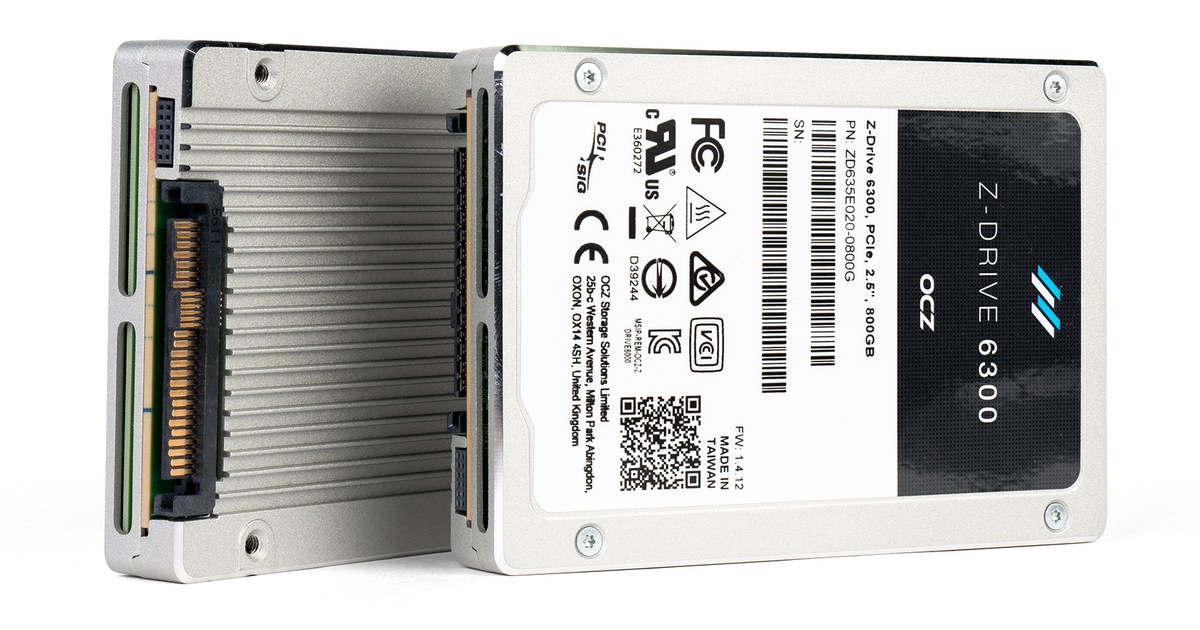
The practical answer: E1.S identifies a storage form-factor family; it does not establish compatibility with a particular server bay. Before ordering, check the exact drive part number, thickness including its cooling hardware, carrier, interface, power and required air or liquid cooling against the server manufacturer's support list. Confirm the complete configuration and service procedure for the supplied SKU.
In an AI server, a drive can load model weights, feed datasets, store results or host the operating system. A disk that fits physically may still be unsupported by the backplane or inadequately cooled. This guide focuses on physical and thermal compatibility; capacity should be sized separately using the project's actual data and workload.
E1.S is not a universal spare part
EDSFF covers several storage form factors. Solidigm's EDSFF guide distinguishes E1 and E3 variants and notes that interchangeability is limited by dimensions and the system. Individual E1.S products can differ in thickness, heatsink design, power and thermal requirements. The name alone is not a purchase specification.
For example, the Lenovo SR645 V3 product guide lists E1.S 9.5 mm or 15 mm options for a particular bay configuration. This is an example for that server, not a guarantee that every drive with either thickness fits every Lenovo system. Check supported part numbers, document version, controller and other installed components.
A drive manufacturer may offer different air- and liquid-cooled versions within a family. A similar product name does not establish identical cooling or interchangeability. Read the exact drive specification and the server's compatibility guide together.
Five compatibility layers
| Layer | What to verify | Evidence |
|---|---|---|
| Physical | Dimensions, thickness, heatsink, carrier and retention | Bay drawing and drive specification |
| Electrical | Interface, lanes and power | Server and backplane documentation |
| Thermal | Required airflow or liquid contact | Limits for the exact SKU |
| Software | Firmware, driver, OS and monitoring | Compatibility matrix and software versions |
| Service | Hot swap, failure procedure, spare and warranty | Maintenance plan and offer |
Passing one layer does not imply that the others pass. A drive can fit a bay while its part number is unsupported, or its cooling requirement may not be met in a fully populated GPU system. Those conditions warrant verification; they do not prove failure without the relevant documentation and test.
Dimensions and service access
Ask for the dimensions of the complete supplied drive, including heatsink, frame or carrier, not only the bare board. E1.S variants differ, and excluding mounting hardware from a measurement can produce a misleading fit check. Confirm whether a manufacturer-specific carrier is needed and whether it is included.
Map every intended bay on the server drawing. Check how many drives can be installed concurrently and whether another option changes the available backplane or cage configuration. A vendor's maximum bay count may apply to a configuration that excludes other hardware, so a full BOM and placement diagram are more useful than adding maxima from separate tables.
Review removal direction, access to adjacent components and protection against accidental disconnection. Hot-swap support depends on the exact hardware and software configuration; a handle on the drive does not establish that every live replacement procedure is supported.
Cooling and power
Thermal behaviour depends on workload, device power, inlet conditions and the server's airflow or liquid-cooling design. Solidigm's discussion of cooling options describes different E1.S implementations, including direct-liquid cooling for selected models. Do not transfer those requirements to a different SSD or chassis without confirmation.
Request the drive's supported power envelope and temperature limits, required airflow or liquid contact, and test conditions for the complete server. For a fair comparison, document inlet temperature, GPU load and the number of installed drives. Airflow in a chassis filled with accelerators may differ from a lightly populated system.
As a hypothetical heat-budget illustration, four selected drives with an agreed 25 W limit each sum to 100 W. This is arithmetic using assumed limits, not the measured heat of a named product or the whole server. Confirm operating consumption, headroom and failure conditions against the specified hardware and measurements.
Interface and software
Verify PCIe generation, lane count and the connection through the backplane or switch. An E1.S label does not guarantee that a particular server bay delivers the drive's maximum advertised interface speed. Identify devices that share a path and how the controller and processor connect to the rest of the system.
Confirm supported SSD firmware, BIOS and operating-system versions, health-monitoring tools and update procedures. For arrays, specify data protection, drive-replacement process and recovery. Ask about spares and warranty for the supplied part number, not merely the family name.
Acceptance under load
Agree on a workload reflecting the SSD's role: loading model weights, streaming datasets, writing checkpoints or serving the OS. Record settings, test-data volume, duration, temperatures and firmware. Compare like-for-like tests rather than maximum figures from different articles or product pages.
Observe temperature, sustained throughput, error reporting and health data using supported documentation. Do not run destructive write tests against live data; use an approved test environment. Preserve original logs and escalate discrepancies with the exact part and serial number.
Establish the service procedure
Agree in advance which drive can be removed while the service runs and which one stores boot or management data. Hot replacement depends on the bay, controller, operating system and storage design as well as the drive form factor. Ask how slots are labelled, how a failed device is identified and how a replacement is verified. The recovery plan should consider both a single-drive failure and shared dependencies such as a backplane or controller. Follow the documentation for the exact server and the site's operating procedure.
Request checklist
- Exact server, drive cage, backplane and supported SSD part numbers.
- Dimensions including heatsink and carrier, retention and bay count.
- Interface generation, lanes and path-sharing constraints.
- Power and cooling requirements for the fully populated GPU configuration.
- Firmware and OS support, monitoring, update and replacement process.
- Capacity, endurance, data protection and the acceptance workload.
- Availability, price, lead time and warranty in the destination country.
Explore AI servers and share workload details using the contact form. Drive configuration and commercial terms are confirmed separately for each enquiry.