
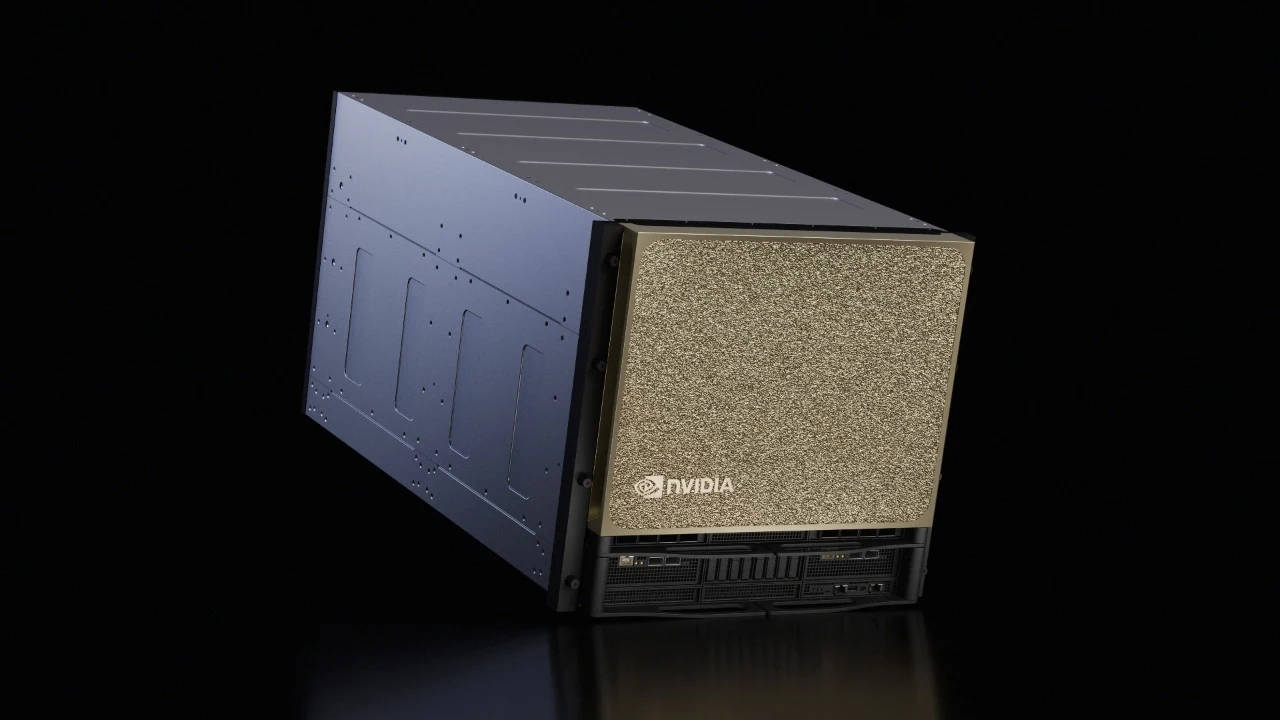
Before ordering a DGX B300, confirm the exact AC or DC configuration with the manufacturer and the data-center operator. NVIDIA's system guide lists a 10U chassis, 14.5 kW power consumption and a 15 kW system maximum in its power table. The chassis, lifting route, power distribution, airflow and network connections all need to be checked together. These values describe NVIDIA's DGX B300; an OEM HGX B300 server can have different facility requirements.
The NVIDIA system guide and a separate NVIDIA technical specification do not present every power value identically. The latter lists 14.5 kW for the busbar configuration and 15.1 kW for the PSU configuration. Do not silently reconcile these numbers or treat this article as an electrical design: obtain the current documentation and written power requirements for the exact SKU before finalizing circuits and cooling.
Start with the configuration and physical route
NVIDIA lists DGX B300 as a 10U system containing eight Blackwell Ultra SXM GPUs. Its guide lists chassis dimensions of 442 × 482.6 × 904.2 mm, expressed as height × width × length. That length is a useful starting point, but it is not the total space needed for handles, cables, rail travel, airflow or maintenance.
| Site planning item | NVIDIA's published value | What the site still needs to confirm |
|---|---|---|
| Height | 10 rack units | Available contiguous space and rail compatibility |
| Chassis length | 904.2 mm | Rack depth, doors, cable bend and service clearance |
| System weight | 168 kg with PSUs; 123 kg busbar version | Rack and floor loading, lift equipment and mounting process |
| Packaged weight | 207.6 kg PSU; 162.6 kg busbar | Delivery route, loading dock, lift and door limits |
| Inlet air | 10–35 °C in the current user guide | Conditions at the equipment inlet and site operating limits |
| Cooling airflow at 70% PWM | 1,500 CFM PSU; 1,350 CFM busbar | Actual fan behavior, obstructions and airflow design |
These figures are from the guide accessed on November 16, 2026. The Russian original was based on a guide checked in October and reports a 10–30 °C inlet range. The currently linked guide displays 10–35 °C. Treat this as a documentation difference to resolve with NVIDIA for your exact system, not as permission to run any installation at the highest stated temperature.
The delivery route matters as much as the rack rating. Record the heaviest shipping unit, door widths, elevator limits, thresholds and required turning space. The packaged unit is heavier than the installed system. Agree in advance whether the vendor, carrier or data-center team supplies lifting equipment and performs installation. The system should not be treated as a routine two-person server installation simply because it uses standard rack units.
AC supplies or a DC busbar
The guide describes two power approaches. The PSU version uses twelve power supplies with N+N redundancy, 200–240 V AC and twelve AC inlets. The busbar version connects to a compatible 54 V DC rack busbar; power shelves needed to energize it are not included with the DGX system according to the guide. These are different facility designs, not interchangeable cable choices.
For the AC configuration, ask for the approved power cords, inlet distribution and PDU layout for the proposed site. The guide lists 16 A maximum per AC outlet and warns to use NVIDIA-qualified power cords. Twelve inlets do not imply that a single PDU or circuit can support the entire system, nor that an arbitrary split across feeds delivers the intended redundancy. Have the responsible electrical engineer verify circuit protection, phases, connector ratings, facility derating rules and fault behavior against the exact bill of materials.
The guide describes twelve PSUs in an N+N arrangement and says at least six are required for the configuration. Its note that the system can boot with fewer operational PSUs is not a capacity rating for normal operation. NVIDIA also says not to operate with PSUs depopulated. Confirm supported operating and maintenance procedures with the vendor instead of using boot behavior as an electrical acceptance criterion.
For the busbar configuration, identify the compatible rack, power shelves, upstream feeds and protection. Ask how the shelves are monitored and maintained and how a feed or shelf failure affects available capacity. The 54 V busbar rating should not be confused with the building's AC distribution voltage.
Estimate energy and heat without turning the estimate into a specification
For an illustrative energy calculation, assume the system averages 14.5 kW for a full 24 hours. Then 14.5 × 24 = 348 kWh for that day. This is arithmetic under an explicit constant-average assumption, not a measured DGX workload or a monthly utility bill. Actual use varies with utilization, configuration and operating mode; facility cooling and other equipment would be additional.
For a second example, if the same assumed average persisted for 30 days, it would amount to 10,440 kWh of system energy. Multiply measured kWh by the site's applicable electricity price only after defining what is included in that price. Avoid multiplying a system power figure by a facility PUE and then adding the same cooling overhead a second time.
The user guide lists up to approximately 49,476 BTU per hour of heat output. A facility engineer should use the applicable approved system specification and local design margin, accounting for the complete rack rather than only one server. Fan airflow also changes with operating conditions: the 1,500 and 1,350 CFM values above are specified at 70% PWM, not guarantees for every workload or room layout.
Plan the network and acceptance procedure
The guide lists eight ConnectX-8 interfaces with OSFP ports, each providing up to 800 Gb/s InfiniBand or Ethernet, plus two dual-port BlueField-3 DPUs with up to 400 Gb/s connectivity. Interfaces on the server do not include the site's entire switching fabric. Confirm which ports are actually needed, the networking mode, switch and optic compatibility, cable lengths, management network and storage paths. A standalone node and a multi-node cluster need different connectivity plans.
Before equipment arrives, agree on the specific acceptance conditions:
- Confirm the configuration, serial numbers, warranty and supported software versions against the quotation.
- Check the rack, rails, shipping route, floor load and lifting equipment against the exact packaged and installed weights.
- Review AC or busbar power, cabling, redundancy and safe maintenance with the site electrical team.
- Record inlet conditions and airflow paths; agree on sustained-load monitoring and the response to a cooling or PSU alarm.
- Verify network ports and link speeds with compatible switches, cables and optics.
- Run an agreed representative workload and capture input power, temperatures, errors and software versions; compare against documented limits for that SKU.
Capacity figures and configuration are subject to the exact product and documentation revision. To discuss an appropriate infrastructure class, explore the AI server catalog and send the workload and site requirements. Availability, price and delivery conditions must be confirmed for the relevant region.
Sources
- NVIDIA DGX B300 system user guide: physical, power and network specifications, accessed November 16, 2026.
- NVIDIA DGX B300 technical specifications, including separate PSU and busbar power figures.
- Russian original: DGX B300 rack and power preparation.